

Key Takeaways
- RAM holds the data your device is actively using right now; storage holds everything else.
- More RAM lets you run more programs at the same time without slowdowns.
- More storage lets you keep more files, photos, and installed apps on the device.
- A device with low RAM but plenty of storage will still feel slow when multitasking.
- You can often add external storage, but RAM in most modern devices cannot be upgraded after purchase.
RAM vs. storage
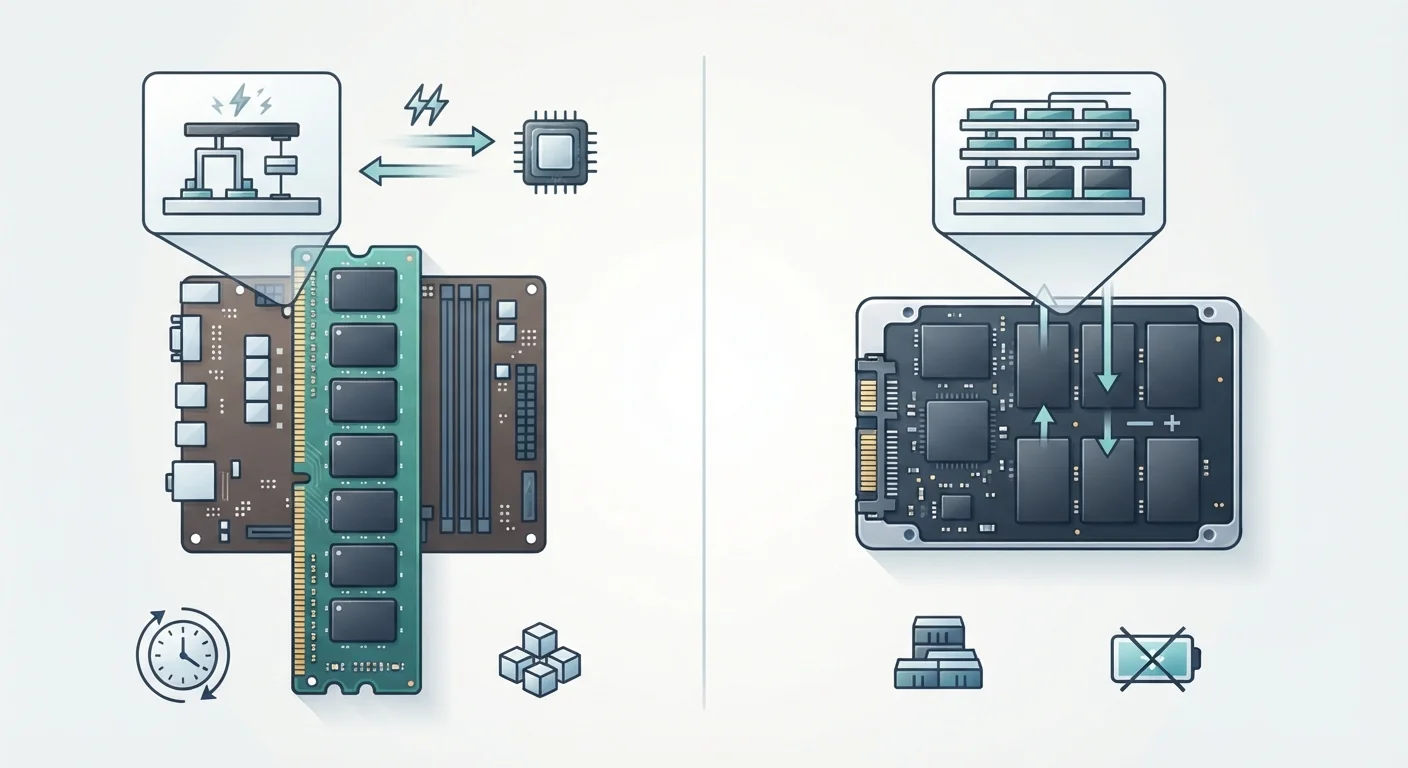
RAM (Random Access Memory) is the short-term workspace a device uses while it is running programs. Storage is the long-term space where files, apps, and the operating system live permanently. RAM is fast but temporary; everything in it disappears when the device powers off. Storage is slower but persistent; your data stays there until you delete it.
RAM operates at nanosecond speeds because it connects directly to the processor via the memory bus. Storage, even on fast solid-state drives, operates at microsecond speeds and communicates through a separate controller.
What each one actually does
Think of your device as a workspace. Storage is the filing cabinet where everything lives when you are not using it: your photos, downloaded apps, documents, and the operating system itself. RAM is the desk surface where you spread out whatever you are working on right now.
When you open an app, the device pulls the relevant data from storage and loads it into RAM so the processor can reach it quickly. The processor cannot work directly with data sitting in storage; it needs data in RAM first. The bigger the desk (more RAM), the more you can have open at once without things getting crowded. The bigger the filing cabinet (more storage), the more you can archive for later.
This distinction matters when you are choosing or troubleshooting a device. If your phone slows down when you have several apps open, that is a RAM issue. If you get a "not enough space" message when downloading a new app, that is a storage issue. The symptoms are different, and so are the solutions.
Check both specs before buying
Device listings sometimes feature storage prominently because the numbers look impressive. Make a habit of checking RAM separately; it is often listed further down the spec sheet. A device with 256 GB of storage but only 4 GB of RAM will feel noticeably slower than one with 128 GB of storage and 8 GB of RAM for most everyday tasks.
Why the confusion happens
Both RAM and storage are measured in gigabytes (GB), which is the main source of confusion. A phone might advertise "8 GB RAM / 256 GB storage," and the two numbers sitting side by side imply they are the same kind of thing. They are not.
The other source of confusion is older terminology. For years, people called storage "memory" in casual conversation: "I need more memory for my photos" almost always meant storage, not RAM. Tech marketing has not always been consistent, so the two terms blurred together.
It helps to remember that RAM is always a smaller number precisely because it is expensive, fast hardware. Storage is always a larger number because it is cheaper and designed for volume, not speed.
How they affect real-world performance
When RAM fills up, the operating system has to decide what to do with the overflow. On most devices, it compresses data or writes some of it to storage temporarily, a process called swapping or paging. Reading and writing to storage is far slower than keeping data in RAM, so the device feels sluggish. This is the technical explanation for why a phone with 3 GB of RAM slows down after you open your fifth or sixth app.
Storage speed also affects performance, though differently. When you launch an app for the first time, the device reads it from storage into RAM. A faster storage drive (an SSD versus a traditional spinning hard drive) shortens that loading time. Once the app is in RAM, storage speed no longer matters for that session.
For a deeper look at what happens when you push a device to run many things at once, see how devices handle multitasking. If you are weighing a tablet against a laptop and wondering how these specs translate across form factors, understanding which form factor fits your workflow covers that tradeoff directly.
Storage capacity, unlike RAM, is something you can extend on many devices using SD cards or external drives. RAM, in most smartphones, tablets, and newer laptops, is soldered to the motherboard and cannot be upgraded. That makes RAM the more consequential spec to consider before purchasing. See practical habits for extending your device's useful life for ways to manage both constraints over time.
What to look at when choosing a device
If you use your device for web browsing, streaming, and occasional document work, the baseline RAM figures current devices ship with are usually adequate. The workloads that genuinely need more RAM are sustained multitasking, video editing, running development environments, and playing graphics-intensive games.
Storage needs depend on your habits. Someone who streams music and video and stores photos in the cloud needs less local storage than someone who downloads content, shoots 4K video, or installs many large apps. The difference between native and web apps is worth understanding here, since web apps consume no local storage while native apps do.
When reading device specs, treat RAM and storage as two separate questions with two separate answers. A device with generous storage but thin RAM will feel slow under load. A device with ample RAM but limited storage will run smoothly but fill up fast. Both numbers carry weight, and neither one substitutes for the other.