

Key Takeaways
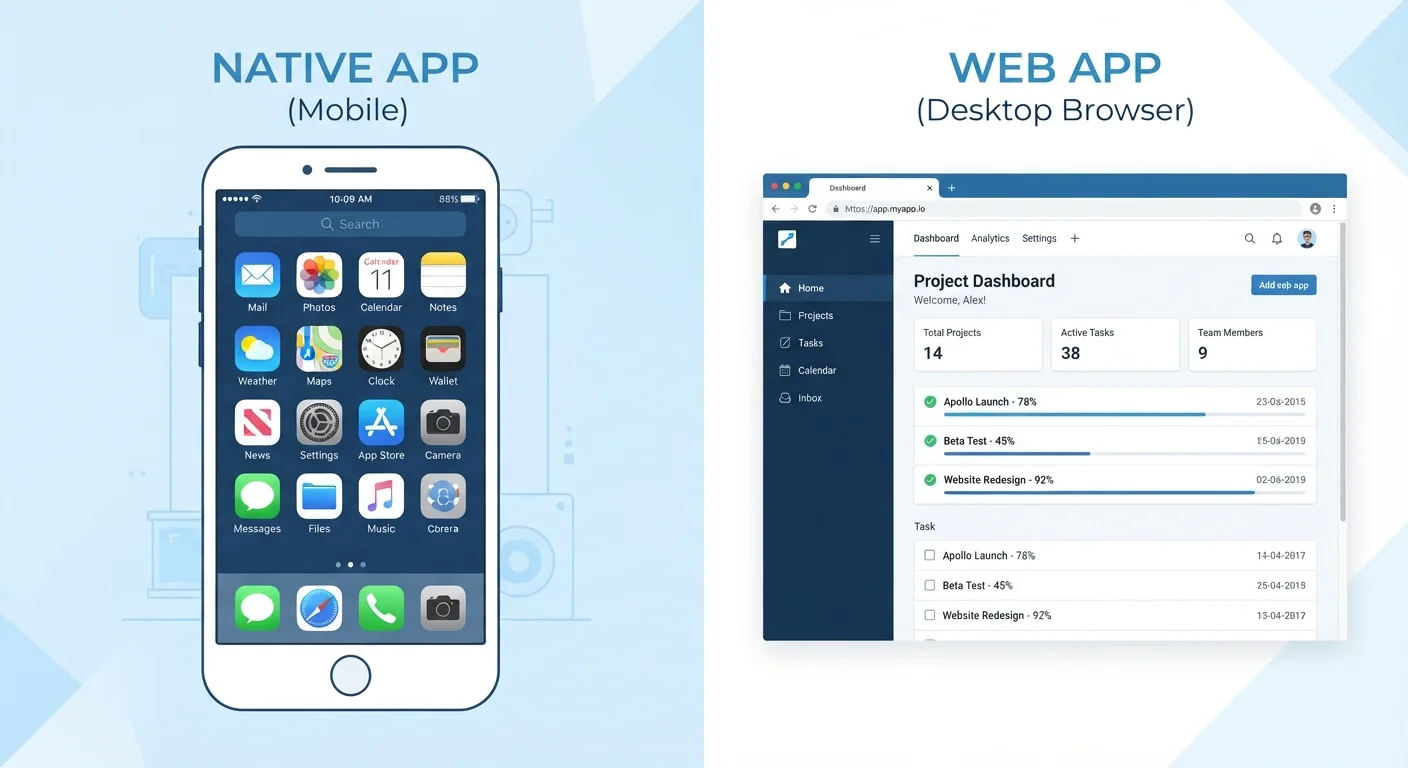
- Native apps are installed on your device and built for a specific operating system like iOS or Android.
- Web apps run inside a browser and work across platforms without any installation.
- Native apps generally load faster and work offline; web apps update automatically and need no storage space.
- The type of app affects battery usage, data permissions, and how much device storage you use.
- Most people use both types daily without realizing which category each app falls into.
Option A
Native apps
Built specifically for one platform, installed directly on your device.
Best for: Users who need top performance, offline access, or deep hardware integration on a single platform.
Option B
Web apps
Accessed through a browser, requiring no installation.
Best for: Users who want instant access across multiple devices without managing downloads or updates.
If you rely on an app while traveling or in low-connectivity areas
Native apps
Native apps store data locally and can function fully or partially without an internet connection, making them reliable when connectivity is patchy.
If you switch between devices or operating systems regularly
Web apps
Web apps run identically in any modern browser, so your work or settings follow you without needing separate installs on each device.
If performance and response speed matter most
Native apps
Native apps communicate directly with device hardware and the operating system, which produces faster load times and smoother animations.
If storage space on your device is limited
Web apps
Web apps live on a remote server and leave no significant footprint on your device, freeing up space for files and media.
What makes an app 'native'
A native app is software you download and install directly onto a device. It is compiled for a specific operating system, which means an iOS app is built with Apple's tools and an Android app is built with Google's. The code talks directly to the device's hardware: camera, GPS, microphone, accelerometer, and so on.
Because a native app lives on your device, it can store data locally and run key functions without a network connection. When you open a navigation app in airplane mode and still see your map, that is native app behavior. The app loaded its data ahead of time and kept it on your device.
Installation also means the app goes through the platform's review process before it reaches you, which adds one layer of security screening. That said, installation has a cost: the app takes up storage, and updates require a separate download. For a closer look at how storage and memory interact during this process, see how RAM and storage differ.
How web apps work instead
A web app runs inside a browser. You visit a URL, and the app loads from a remote server each time. There is nothing to install, and the same URL works on your laptop, tablet, or phone regardless of operating system.
Web apps are built with standard web technologies: HTML, CSS, and JavaScript. Because those technologies work across all modern browsers, a developer can maintain one codebase rather than separate versions for each platform. Updates happen server-side, so you always get the current version without downloading anything.
The tradeoff is that web apps depend on a live internet connection for most of their functions. They also have limited access to device hardware compared to native apps. A web app can ask for your location through the browser, but it cannot access your contacts list or send push notifications the same way a native app can. Those permission boundaries exist by design. To understand what native apps can actually access on your device, app permissions explained covers each permission type in plain terms.
| Criterion | Native apps | Web apps |
|---|---|---|
| Installation required | Yes, via app store | No, runs in browser |
| Platform compatibility | One OS per version | Any modern browser |
| Offline functionality | Full or partial | Limited or none |
| Device storage used | Yes, sometimes significant | Minimal |
| Hardware access | Deep (camera, GPS, etc.) | Limited via browser APIs |
| Updates | Manual download needed | Automatic, server-side |
| Background activity | Yes, can run in background | No background processes |
| App store review | Yes | No |
Where the difference shows up in everyday use
The distinction between native and web apps affects three areas most users notice: speed, storage, and battery life.
Speed comes partly from where the code runs. A native app is already on your device, so opening it skips the step of fetching files across a network. Web apps must load assets from a server first, which adds latency even on fast connections. Once loaded, a well-built web app can feel nearly as responsive, but the initial load is consistently slower.
Storage is the more visible difference for many users. Native apps accumulate: a messaging app might occupy several gigabytes once you include cached media. Web apps add almost nothing to your device's local storage. If you are managing a phone with limited space, this matters.
Battery life is where the architecture has a subtler effect. Native apps can run background processes, check for updates, and sync data even when you are not actively using them. That background activity drains power. why apps drain battery faster explains the specific mechanisms behind high drain, including how background activity from native apps contributes to it.
A less obvious factor is multitasking behavior. When you switch between multiple open apps, native and web apps place different demands on your device's memory and processor. what happens inside a device during multitasking breaks down how devices manage that workload.
Progressive web apps: a middle category
Progressive web apps (PWAs) sit between native and web apps. A PWA is still built with web technologies and accessed through a browser, but it can be installed to your home screen, cache content for offline use, and receive push notifications.
PWAs do not go through an app store review process, and their access to device hardware remains more limited than a true native app. However, they close much of the gap for common tasks: reading content offline, receiving alerts, and loading quickly on repeat visits.
Many users install PWAs without realizing they are different from native apps. The install prompt appears in the browser, you tap 'Add to Home Screen,' and the icon sits next to your native apps. The underlying technology is still web-based, but the user experience resembles a native app closely enough that the distinction rarely matters for everyday use.
If you find yourself switching between tools looking for a better fit, the app category often matters less than the workflow behind it. common productivity app myths covers why the tool type is rarely the root cause of friction.