

| USB-A max speed | Up to 10 Gbps (USB 3.2 Gen 2) (USB Implementers Forum specification) |
| USB-C connector introduced | 2014 (USB-IF USB Type-C specification release) |
| USB PD maximum power | 240 W (Extended Power Range) (USB PD 3.1 specification, USB-IF) |
| Thunderbolt 4 max data speed | 40 Gbps (Intel Thunderbolt 4 specification) |
| USB4 Gen 3x2 max speed | 40 Gbps (USB-IF USB4 Version 2.0 specification) |
| Standard USB 2.0 power output | 2.5 W (5V at 0.5A) (USB 2.0 specification, USB-IF) |
Why USB is more confusing than it looks
USB has been the dominant wired connection standard for consumer electronics since the late 1990s, yet it has never been more confusing to read a product spec sheet. A cable can have a USB-C connector on both ends and still only move data at USB 2.0 speeds. A port labeled "USB 3.0" on an older device may be identical in shape to one labeled "USB 3.2 Gen 2" on a newer one. The connector shape and the underlying standard are two separate things, and conflating them is the most common source of buyer confusion.
This reference explains each layer: connector shape, generation name, speed rating, and power delivery capability. Understanding how these layers interact helps you match the right cable to the right port and avoid paying for performance you cannot actually use.
USB (Universal Serial Bus)
A standardized connection system for data transfer and power delivery between computers and peripherals. The standard is maintained by the USB Implementers Forum (USB-IF) and covers connector shapes, signaling speeds, and power rules.
Connector form factor
The physical shape of a USB plug or port, such as USB-A, USB-C, or micro-USB. The form factor determines what fits physically but does not determine data speed or power capability.
USB Power Delivery (USB PD)
A USB specification that allows a USB-C connection to negotiate power levels up to 240 watts between a charger and a device. Both the cable and the charger must support USB PD for higher wattage to be available.
Thunderbolt
A high-speed wired protocol from Intel that uses the USB-C connector starting with version 3. Thunderbolt ports accept USB-C cables and devices, but standard USB-C cables cannot unlock Thunderbolt-specific features such as 40 Gbps data transfer or multi-display output.
USB4
The current top-tier USB data standard, offering up to 40 Gbps at Gen 3x2. USB4 uses the USB-C connector exclusively and is compatible with Thunderbolt 3 and 4 cables.
Gbps (gigabits per second)
A unit of data transfer speed. One gigabit equals 1,000 megabits. Note that storage is typically measured in gigabytes, and there are 8 bits in a byte, so a 10 Gbps connection transfers roughly 1.25 gigabytes of data per second at maximum throughput.
Connector shapes: what the physical port tells you
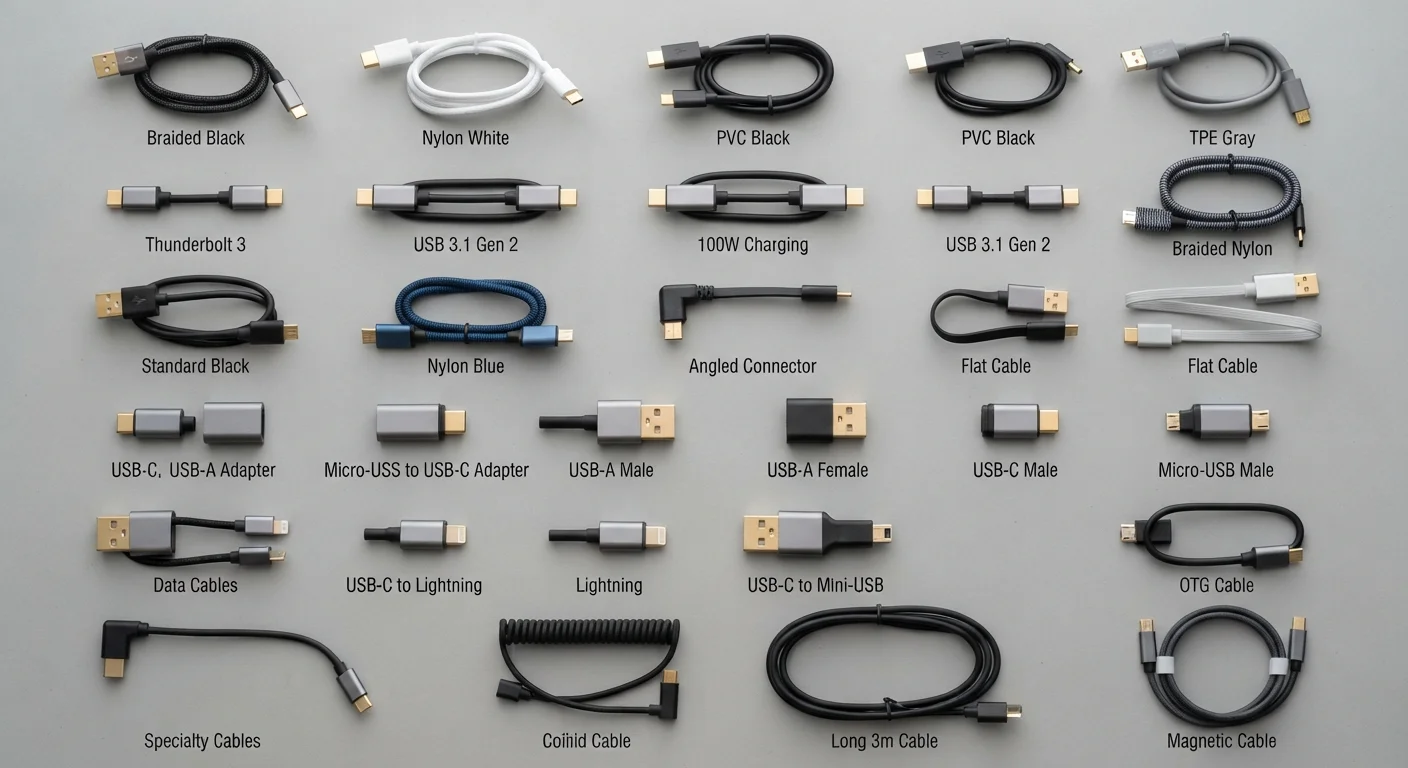
USB-A is the flat rectangular connector most people picture when they hear "USB." It has been on computers, chargers, and wall adapters for decades. USB-A ports can carry USB 2.0, USB 3.x, or even USB 3.2 Gen 2 signals depending on the device, so the shape gives you no speed information on its own. A blue-colored USB-A port is a common (though not universal) signal from manufacturers that it supports USB 3.x speeds.
USB-B is the square connector on the back of many printers and older external hard drives. It is rarely found on new devices.
Micro-USB was the standard charging port on Android phones and accessories through most of the 2010s. It supports up to USB 2.0 speeds in most implementations.
USB-C is the small oval connector now found on smartphones, laptops, tablets, monitors, and accessories. It is reversible, meaning it can be inserted either way up. USB-C is a connector shape, not a speed rating. A USB-C cable can carry USB 2.0, USB 3.2, USB4, or Thunderbolt signals depending on how the cable and device are built. Checking the rated speed of the cable itself matters, not just the connector shape.
| USB-A max speed | Up to 10 Gbps (USB 3.2 Gen 2) (USB Implementers Forum specification) |
| USB-C connector introduced | 2014 (USB-IF USB Type-C specification release) |
| USB PD maximum power | 240 W (Extended Power Range) (USB PD 3.1 specification, USB-IF) |
| Thunderbolt 4 max data speed | 40 Gbps (Intel Thunderbolt 4 specification) |
| USB4 Gen 3x2 max speed | 40 Gbps (USB-IF USB4 Version 2.0 specification) |
| Standard USB 2.0 power output | 2.5 W (5V at 0.5A) (USB 2.0 specification, USB-IF) |
USB generations and what the speed numbers mean
USB naming has gone through several rebranding rounds, which is why the same underlying technology carries multiple names across product listings. The table below maps current names to their maximum theoretical data transfer speeds.
| Current name | Also called | Max speed |
|---|---|---|
| USB 2.0 | Hi-Speed USB | 480 Mbps |
| USB 3.2 Gen 1 | USB 3.0, USB 3.1 Gen 1 | 5 Gbps |
| USB 3.2 Gen 2 | USB 3.1 Gen 2 | 10 Gbps |
| USB 3.2 Gen 2x2 | (USB-C only) | 20 Gbps |
| USB4 Gen 2x2 | USB4 20 | 20 Gbps |
| USB4 Gen 3x2 | USB4 40 | 40 Gbps |
These speeds are theoretical maximums. Real-world transfer rates are lower due to protocol overhead, cable quality, and device storage speed. A USB 3.2 Gen 1 drive copying a large video file to a slow hard disk will be limited by the disk, not the USB connection.
For everyday tasks such as charging a phone, syncing photos, or connecting a keyboard, USB 2.0 speeds are sufficient. USB 3.x and USB4 matter most when moving large files to external SSDs or daisy-chaining displays.
Thunderbolt: related but distinct
Thunderbolt is a separate protocol developed by Intel in collaboration with Apple. Starting with Thunderbolt 3, the connector is physically identical to USB-C, which creates frequent confusion. A Thunderbolt 3 or Thunderbolt 4 port accepts USB-C cables and devices, but a standard USB-C cable cannot use Thunderbolt's full capabilities.
Thunderbolt 3 offers up to 40 Gbps of bandwidth and can drive two 4K displays simultaneously over a single cable. Thunderbolt 4 keeps the 40 Gbps data ceiling but adds requirements around video output, minimum PCIe bandwidth, and daisy-chaining up to six devices. USB4 Gen 3x2 matches Thunderbolt 4's 40 Gbps speed, and USB4 devices are required to be compatible with Thunderbolt cables, though the reverse is not guaranteed for all use cases.
If your laptop has a Thunderbolt port (look for a lightning bolt icon), a certified Thunderbolt cable unlocks the full speed and display capability. A plain USB-C cable in that same port will work for charging and basic data transfer, but at USB speeds.
For context on how wired connectivity compares to wireless standards in your home setup, see the guide to Wi-Fi standards and the Internet and Connectivity hub.
USB Power Delivery and charging speeds
USB cables also carry power, and the amount varies widely. Standard USB 2.0 ports supply 5V at 0.5A, which equals 2.5 watts. That is enough to charge accessories but slow for a smartphone and impractical for a laptop.
USB Power Delivery (USB PD) is a separate specification that allows a USB-C port to negotiate higher voltages and currents with a compatible charger. USB PD supports power levels up to 240 watts as of the extended power range specification, which covers laptops, monitors, and high-demand accessories. A USB PD charger and cable must both support the higher wattage for it to take effect; one older component in the chain drops the negotiated power level to the lower common value.
Quick Charge and similar proprietary fast-charging systems work over USB-A ports on devices from specific manufacturers. They follow their own voltage and current rules, separate from USB PD. A USB PD charger will still charge a Quick Charge device, but the speed will match whichever standard both the charger and device share.
If you travel frequently, understanding power compatibility across cables and adapters matters. The practical guide to charging devices while traveling covers international adapter considerations alongside portable battery selection.
Choosing the right cable also fits into a broader habit of getting more life from hardware. The guide to extending device life addresses cable care alongside software and storage practices.