

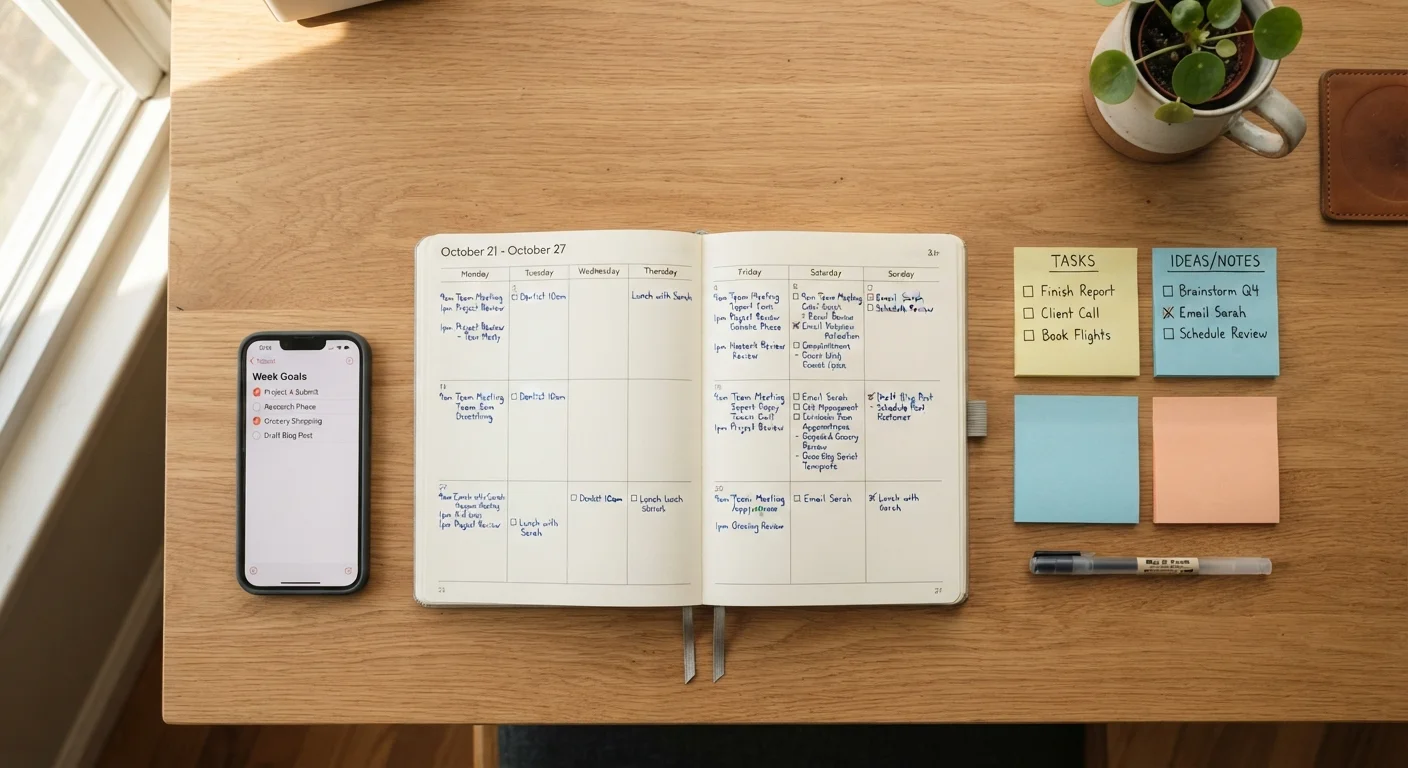
Key Takeaways
- Time blocking assigns tasks to specific calendar slots; task lists capture everything but impose no order on when work happens.
- Neither method alone handles the full complexity of most knowledge-work days.
- Combining a prioritized task list with blocked calendar time addresses the weaknesses of both approaches.
- The system that gets used consistently outperforms the one that is theoretically perfect.
- Buffer blocks and a weekly review are two structural habits that prevent either method from collapsing under pressure.
Our Verdict
Task lists are reliable for capture and prioritization; time blocking is reliable for execution and focus. Most people work in jobs that demand both. A hybrid approach, where a short prioritized list feeds directly into blocked calendar time, handles real-world variability better than either method alone.
| Best for | Recommended |
|---|---|
| Those with heavy meeting loads and unpredictable interruptions | Time blocking with built-in buffer slots |
| Those with autonomous, project-driven work and flexible schedules | Prioritized task list as the primary planning tool |
| Those managing multiple deadlines across several workstreams | Hybrid: task list for capture, time blocking for execution |
What each method actually does
A task list records work that needs to happen. It is a capture system: you write down what exists, and you cross things off as they get done. The list itself does not tell you when to do anything or how long it will take. That gap is both its strength and its problem. The list stays flexible, but without scheduling, important tasks can sit untouched while easier ones get cleared first.
Time blocking assigns specific work to specific calendar slots. Instead of a list of things to do, you have a schedule that says "write the quarterly report from 9 to 11 a.m." The block creates a commitment and protects attention. The cost is rigidity: a blocked schedule that meets one unexpected meeting can fall apart before lunch.
Understanding what each method actually controls makes the comparison more useful. Task lists manage what. Time blocks manage when. A day that only has one of those answers is harder to execute than a day that has both.
Where task lists break down
The appeal of a task list is low friction. You add items fast, you see everything in one place, and you get the small satisfaction of crossing things off. The problem is that a long list gives every item equal visual weight. Without structure, the work that feels manageable gets done and the work that is hard or ambiguous stays on the list for weeks.
A second failure mode is optimism about volume. Most people consistently add more to a daily list than a workday can hold. When the list is always longer than the available time, it stops being a plan and becomes a source of low-level pressure that follows you into the evening.
If you find yourself rewriting the same tasks across multiple days, or skipping items labeled "important" in favor of ones labeled "quick," the list is not doing enough structural work on its own. See also how staying organised across multiple active applications requires more than a flat list to avoid losing track of status and next steps.
| Task lists | Time blocking | Hybrid approach | |
|---|---|---|---|
| What it controls | What needs doing | When work happens | Both what and when |
| Setup effort | Low | Medium to high | Medium |
| Flexibility under disruption | High | Low | Moderate |
| Handles reactive work | Yes | Poorly without buffer blocks | Yes, with dedicated buffer time |
| Risk of overwhelm | High if list grows unchecked | Low if schedule is realistic | Low with weekly review habit |
| Best suited to | Autonomous, flexible roles | Focused, project-driven roles | Mixed or meeting-heavy roles |
Where time blocking breaks down
Time blocking solves the sequencing problem that task lists leave open. Assigned blocks force a realistic reckoning with how many hours exist in a day and how long work actually takes. That discipline is the method's primary value.
The failure mode is fragility. A blocked calendar assumes the day goes as planned. Meetings get added, priorities shift, a colleague needs something urgent. When a block gets disrupted, many people abandon the rest of the day's structure rather than reschedule. The system requires maintenance, and that maintenance takes time most people do not budget.
Time blocking also struggles with reactive work. If your job involves a significant volume of requests arriving throughout the day, a rigid block structure can feel like it is working against you rather than for you. Structuring a day around both deep focus and collaborative work requires a version of time blocking that deliberately reserves reactive time rather than assuming focused blocks can run uninterrupted.
How to combine them without making things complicated
The hybrid approach works like this: the task list handles capture and daily prioritization, and the calendar handles execution. At the start of each day, identify the two or three tasks that matter most, then assign each one a calendar block. Everything else stays on the list as a secondary tier to address if time opens up.
A few structural habits make this combination stable:
- Keep one buffer block per day, at least thirty minutes, for tasks that overflow or unexpected requests.
- Do a short weekly review, ten to fifteen minutes, to move incomplete tasks forward or cut them entirely.
- Limit daily task lists to what is genuinely achievable in the hours you control, not total work hours.
The goal is not a perfect system. It is a system that survives contact with a real workday. Productivity app myths that keep people switching tools shows that adding new software rarely fixes the underlying structural problem; the habits described above matter more than the tool you use to track them.
For anyone managing a digital workflow across multiple tools, organising your digital life as a starting point covers how to set up core tools without creating more overhead than you save.