

Key Takeaways
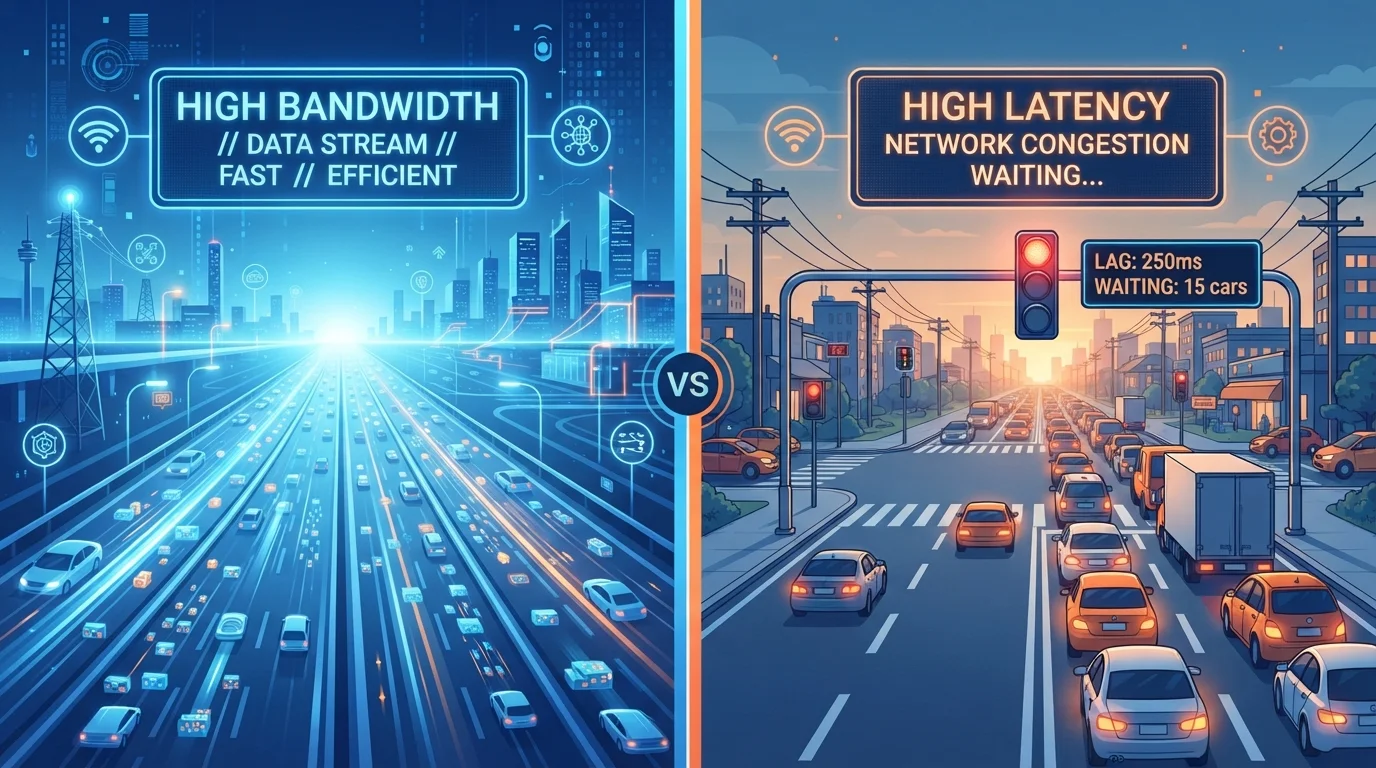
- Bandwidth measures how much data travels at once; latency measures how fast a signal gets a response.
- A high-bandwidth plan does not guarantee a responsive connection for real-time tasks.
- Video calls, online gaming, and interactive apps are more sensitive to latency than to raw speed.
- Latency above 100ms is noticeable in conversation; above 150ms it causes clear disruption.
- Your router, Wi-Fi signal quality, and ISP routing path all affect latency independently of your plan speed.
Option A
Bandwidth
The capacity of your connection, measured in how much data can move at once.
Best for: Households that stream video, download large files, or have many devices running simultaneously.
Option B
Latency
The responsiveness of your connection, measured by how long a signal takes to travel.
Best for: Anyone who games online, video calls frequently, or expects instant feedback from web apps.
If you stream 4K video or download large files regularly
Bandwidth
High-definition streaming and large downloads depend on sustained data throughput. Latency matters less when the task is not interactive.
If you play online games or use real-time multiplayer apps
Latency
Game servers exchange small packets constantly, so round-trip time determines how responsive controls feel. A lower-bandwidth plan with low latency often performs better here.
If you video call for work or school daily
Latency
Video call audio syncs poorly and conversation feels awkward when latency climbs above 100ms, even on a fast plan.
If you have five or more devices active at once
Bandwidth
Multiple simultaneous streams, uploads, and downloads compete for capacity. Higher bandwidth reduces the bottleneck across all devices.
What bandwidth actually means
Bandwidth is the maximum amount of data your connection can carry in a given second, usually expressed in megabits per second (Mbps) or gigabits per second (Gbps). Think of it as the width of a pipe: a wider pipe moves more water at once, but it says nothing about how quickly a single drop travels from one end to the other.
When an ISP advertises a 500 Mbps plan, that figure describes capacity under ideal conditions. If you are downloading a large file, that capacity is put to use. If you are just loading a webpage, most of that capacity sits idle because webpages are made of many small requests, not a single large stream.
For households with heavy concurrent usage, such as two people streaming while a third is on a video call, bandwidth genuinely matters. Upgrading a plan in that scenario reduces the competition between devices. But for a single user doing ordinary browsing, the jump from 100 Mbps to 500 Mbps produces almost no perceptible difference. See our plain-language internet glossary for a full breakdown of the terms ISPs use when describing plans.
What latency actually means
Latency is the time it takes for a signal to travel from your device to a server and back. This round-trip time is measured in milliseconds (ms). A lower number is better.
When you click a link, your browser sends a request to a web server and waits for a reply before anything appears on screen. That wait is latency. On a wired connection to a nearby server, latency might be 5 to 20ms, effectively invisible. On a congested network or a satellite connection, it can exceed 600ms, which makes every click feel sluggish even if the download speed looks fine on a speed test.
Latency is determined by several factors: the physical distance between you and the server, the number of network hops the signal passes through, the technology type (fiber tends to have lower latency than cable, which is lower than most satellite options), and congestion at any point along the path. Your router and local Wi-Fi conditions also add latency before the signal even leaves your home. Common misconceptions about speed tests include treating download speed as the only metric worth checking, which misses latency entirely.
Head-to-head: how they affect real tasks
The difference between bandwidth and latency becomes concrete when you look at specific activities.
| Criterion | Bandwidth | Latency |
|---|---|---|
| What it measures | Data capacity per second | Round-trip signal time (ms) |
| 4K video streaming | High impact | Low impact |
| Online gaming | Low to moderate impact | High impact |
| Video calls | Moderate impact | High impact |
| Web browsing | Low impact | Moderate to high impact |
| Large file downloads | High impact | Low impact |
| Multiple devices at once | High impact | Moderate impact |
| Improved by upgrading plan | Yes, directly | Not always |
| Affected by router quality | Somewhat | Yes, significantly |
Browsing a modern website involves dozens of small requests in sequence. Each request waits for a response before the next can proceed in certain loading patterns, so high latency compounds across those requests. A 20ms latency per request across 30 sequential assets adds 600ms of load time, regardless of your download speed.
For gaming, the stakes are higher. Most online games exchange state updates many times per second. High latency means the game server is working with outdated information about your position or actions, which produces lag, rubberbanding, or missed inputs. A 50 Mbps connection with 20ms latency will produce a smoother gaming experience than a 500 Mbps connection with 120ms latency.
Why your fast plan can still feel slow
20ms
Typical fiber latency under good conditions
Fiber-optic connections to nearby servers frequently achieve round-trip times well under 20ms, making interaction feel near-instant.
600ms+
Latency on traditional geostationary satellite
Geostationary satellite internet signals travel roughly 22,000 miles each way, producing latency that makes real-time interaction noticeably difficult.
100ms
Threshold where call quality degrades
Audio and video call protocols begin to produce audible artifacts and conversation overlap when round-trip latency exceeds approximately 100ms.
Several conditions produce high latency on a plan that advertises high bandwidth. Network congestion in the evening, when many households are online simultaneously, can push latency up significantly even if your raw download speed holds steady. Evening slowdowns often trace back to congestion at the ISP level, not your plan speed.
Your Wi-Fi signal quality is another factor. A weak signal between your device and router adds latency within your home network before data even reaches the internet. Switching to a wired Ethernet connection frequently reduces latency by 10 to 30ms on its own.
Router hardware also matters. An older router processing traffic from many devices simultaneously can introduce bufferbloat, a condition where packets queue up inside the router and wait, adding artificial latency. If you notice that your connection feels responsive when only one device is active but sluggish when several are connected, bufferbloat is a likely cause. A structured troubleshooting approach can help isolate whether the problem is your device, router, wiring, or the ISP itself.