

Key Takeaways
- A dedicated work network isolates your video calls and file uploads from bandwidth-heavy household activity.
- Most home routers support VLANs or guest networks, which can create logical separation without new hardware.
- The upfront cost and configuration effort are real trade-offs, especially in rental homes or shared spaces.
- A wired ethernet connection to your work machine is the single highest-impact reliability upgrade available.
- Security benefits are meaningful: a separate network limits exposure if a family member's device is compromised.
Stable bandwidth for calls and video conferencing
Traffic prioritization (QoS) on a dedicated network lets you reserve bandwidth for real-time applications. A household member streaming 4K video will not spike your latency mid-meeting.
Reduced exposure to household device vulnerabilities
Separating work devices means a compromised smart TV or gaming console cannot reach your laptop directly. Many corporate IT policies actually require this kind of network isolation.
Easier VPN performance management
VPN clients encrypt all outbound traffic, which multiplies bandwidth demands. Routing only work devices through the VPN on a dedicated network avoids throttling personal devices unnecessarily.
Simpler troubleshooting when problems arise
When your work connection drops, knowing it runs on a separate segment helps you rule out household causes quickly. You can test and fix the work network without disrupting others in the home.
Wired ethernet is practical on a work-only segment
Running a cable to one device is far easier when that device sits on its own network. Ethernet eliminates wireless interference entirely, cutting packet loss on video calls to near zero.
Router configuration requires technical comfort
Setting up VLANs or a properly isolated guest network involves accessing your router's admin interface and, in some cases, updating firmware. Users unfamiliar with networking concepts may find this daunting.
Rental homes limit physical installation options
Running ethernet through walls or installing a second access point may violate lease terms. Powerline adapters and MoCA adapters exist as alternatives, but they add cost and their own compatibility considerations.
Additional hardware increases monthly or upfront cost
A true hardware separation (two routers or a managed switch) can cost anywhere from $60 to several hundred dollars. Budget routers may not support VLANs at all, forcing a hardware upgrade.
Maintenance doubles for two network segments
Firmware updates, password rotation, and connection troubleshooting now apply to two logical or physical networks. Small households may find the overhead outweighs the benefit.
Does not solve ISP-level congestion
A dedicated home network cannot fix slowdowns caused by neighborhood congestion on a shared cable line. If your ISP's infrastructure is the bottleneck, internal network changes will have limited impact.
Our Verdict
A dedicated work-from-home network setup solves real problems for remote workers who share bandwidth with heavy household users. The performance and security gains are concrete, though the configuration complexity and potential hardware cost require honest assessment before committing.
Remote workers in busy households who experience dropped calls, laggy video, or VPN slowdowns during peak home-use hours.
Why shared home networks cause work problems
A typical household network treats every device equally. Your laptop competes for bandwidth with a 4K streaming box, a gaming console downloading updates, and several smartphones running background sync. For browsing, this is rarely noticeable. For a video call or a large file upload to a corporate server, the competition matters.
The problem is not just raw speed. Latency (the delay between your device sending a packet and receiving a response) spikes when a router's queue fills up. Even a fast 500 Mbps connection can produce choppy audio if latency jumps during a burst of gaming traffic. A dedicated work network addresses this by letting you control which devices share a queue with your laptop.
Guest network vs. VLAN: what's the difference?
A guest network is a simplified form of network isolation built into most consumer routers. It creates a separate Wi-Fi SSID that blocks devices on it from communicating with the main network. A VLAN (Virtual Local Area Network) is a more configurable option available on managed routers and switches: it lets you tag traffic by device or port and apply different rules to each group. For most remote workers, a properly configured guest network is sufficient. VLANs are worth exploring if your employer's IT team requires stricter segmentation.
Pros of a dedicated work network
The case for separating work traffic rests on three concrete benefits: reliability, security, and clarity.
Stable bandwidth for calls and video conferencing
Traffic prioritization (QoS) on a dedicated network lets you reserve bandwidth for real-time applications. A household member streaming 4K video will not spike your latency mid-meeting.
Reduced exposure to household device vulnerabilities
Separating work devices means a compromised smart TV or gaming console cannot reach your laptop directly. Many corporate IT policies actually require this kind of network isolation.
Easier VPN performance management
VPN clients encrypt all outbound traffic, which multiplies bandwidth demands. Routing only work devices through the VPN on a dedicated network avoids throttling personal devices unnecessarily.
Simpler troubleshooting when problems arise
When your work connection drops, knowing it runs on a separate segment helps you rule out household causes quickly. You can test and fix the work network without disrupting others in the home.
Wired ethernet is practical on a work-only segment
Running a cable to one device is far easier when that device sits on its own network. Ethernet eliminates wireless interference entirely, cutting packet loss on video calls to near zero.
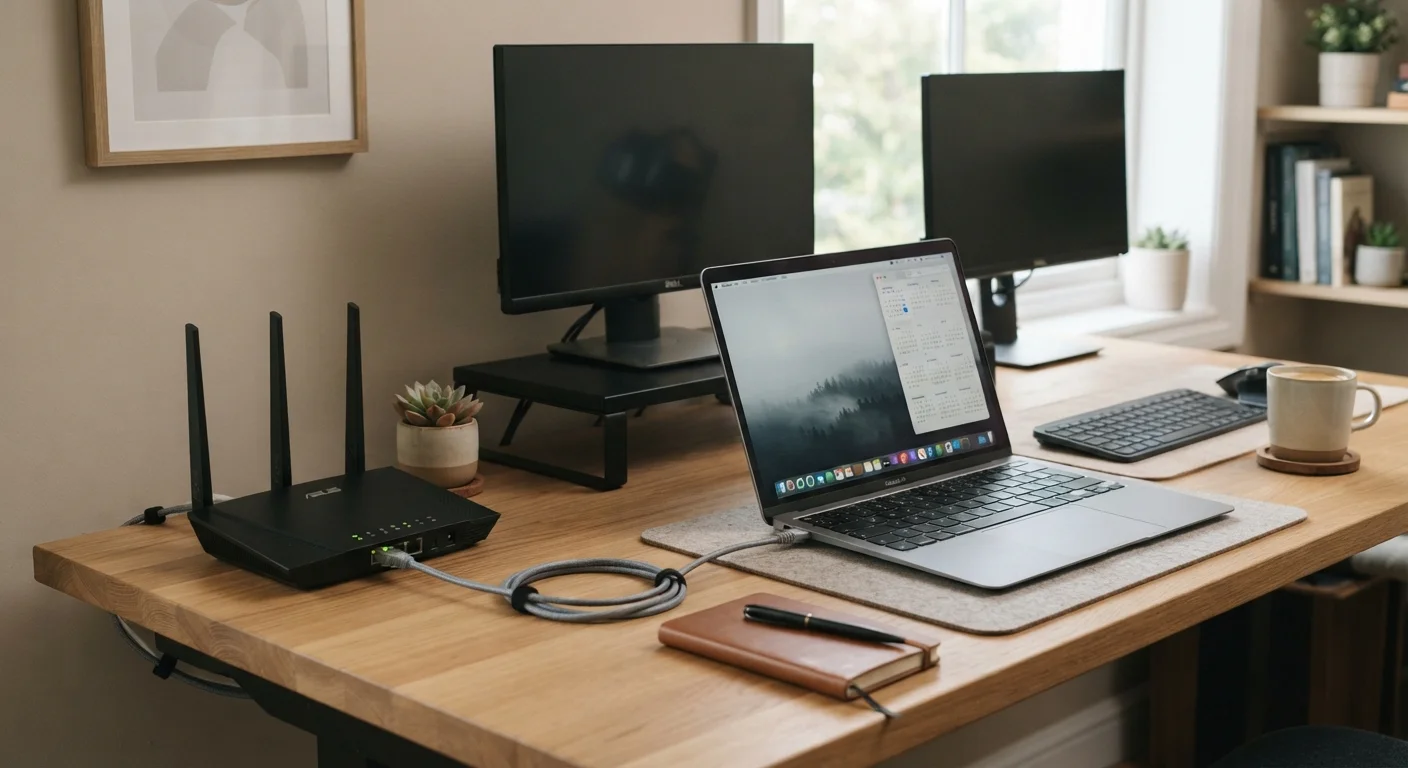
Of these, the wired ethernet point is worth acting on even before any network reconfiguration. A direct cable connection from your router or switch to your work laptop removes wireless variables entirely. Wi-Fi signals degrade through walls, compete with neighboring networks on shared radio channels, and fluctuate with interference from microwaves and cordless phones. Ethernet does none of these things.
Cons of a dedicated work network
The downsides are real and worth weighing honestly before spending time or money.
Router configuration requires technical comfort
Setting up VLANs or a properly isolated guest network involves accessing your router's admin interface and, in some cases, updating firmware. Users unfamiliar with networking concepts may find this daunting.
Rental homes limit physical installation options
Running ethernet through walls or installing a second access point may violate lease terms. Powerline adapters and MoCA adapters exist as alternatives, but they add cost and their own compatibility considerations.
Additional hardware increases monthly or upfront cost
A true hardware separation (two routers or a managed switch) can cost anywhere from $60 to several hundred dollars. Budget routers may not support VLANs at all, forcing a hardware upgrade.
Maintenance doubles for two network segments
Firmware updates, password rotation, and connection troubleshooting now apply to two logical or physical networks. Small households may find the overhead outweighs the benefit.
Does not solve ISP-level congestion
A dedicated home network cannot fix slowdowns caused by neighborhood congestion on a shared cable line. If your ISP's infrastructure is the bottleneck, internal network changes will have limited impact.
The most common mistake is treating network separation as a cure-all. If your household pays for a plan that is genuinely undersized for total usage, splitting the network into segments will not create bandwidth that does not exist. Upgrading your ISP plan, or switching providers where options exist, addresses the root problem in that scenario.
~30%
Share of US workers who work remotely at least part-time
Gallup workplace surveys conducted in 2023 and 2024 consistently place part- or full-time remote work among roughly 3 in 10 employed US adults.
~20 Mbps
Recommended upload speed per HD video call
Major video conferencing platforms publish bandwidth guidelines suggesting 15 to 20 Mbps upload for stable HD calls; simultaneous household streaming multiplies that demand.
Practical steps to get started
Before purchasing any hardware, log into your existing router's admin panel (typically accessible at 192.168.1.1 or 192.168.0.1 in a browser) and check whether a guest network or VLAN feature is available. Many mid-range consumer routers sold in the past five years include both.
If your router supports it, create a separate SSID for work devices and enable client isolation. Connect only your work laptop and any work peripherals to that SSID. Then test call quality during a normally busy household hour to see whether the separation produces a measurable improvement.
If your router lacks these features, a firmware replacement like DD-WRT or OpenWrt is available for some models and adds VLAN support. This requires comfort with flashing firmware and carries a small risk of misconfiguration, so it is better suited to users who are already comfortable in a router's admin interface.
Users whose employers provide a VPN client should confirm with their IT department whether a network separation approach aligns with company policy. Some organizations have specific requirements about which segment the VPN should terminate on.